
To see who does not follow you back on Instagram, compare your Following list with your Followers list. Anyone present in Following but missing from Followers is not following you back. Check one person manually, or use SeeWho to compare the full visible lists on iPhone, Chrome, or Firefox.
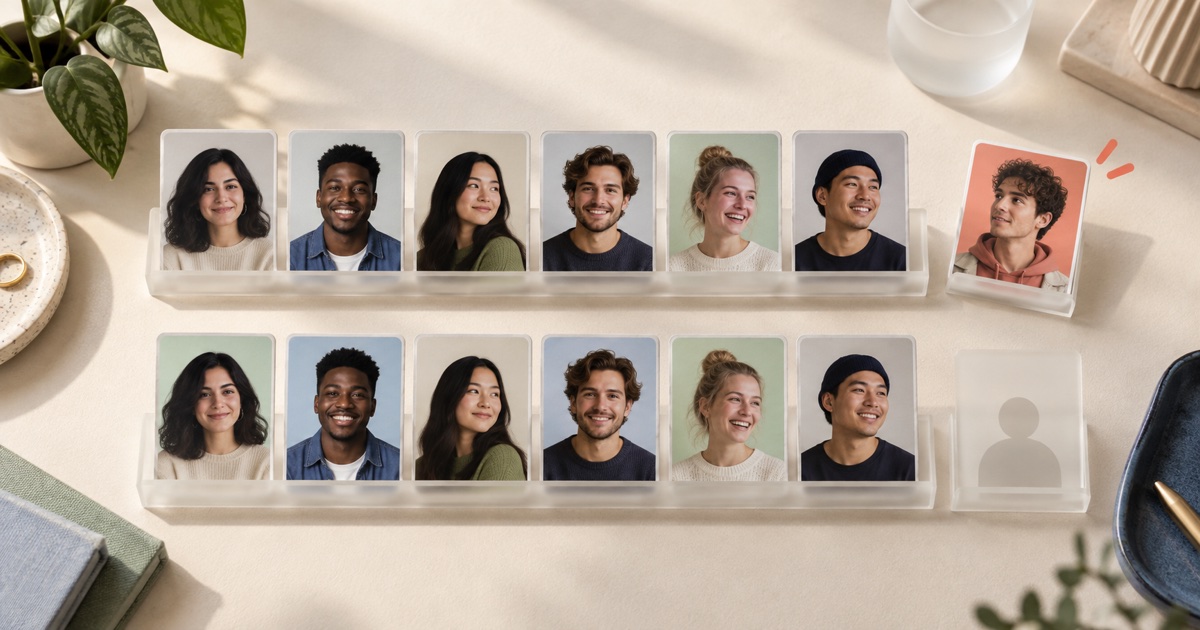
Pick The Right Check First
People often mix up three different questions. The right method depends on which one you actually mean.
| Your question | What must be compared | Do you need an older scan? |
|---|---|---|
| Does this one account follow me? | That handle against your current Followers list | No |
| Who does not follow me back right now? | Current Following minus current Followers | No |
| Who unfollowed me recently? | An older Followers list against a newer Followers list | Yes |
The calculation for the second question is simple:
Following − Followers = accounts that do not follow you back
That gives you a current relationship snapshot. It does not prove that every account in the result used to follow you.
Check One Person Manually
If you only care about one or two people, you do not need another tool.
- Open your Instagram profile.
- Tap Followers.
- Search for the person's exact username.
- If the account appears, it follows you. If it does not appear, it does not currently follow you back.
You can also open the person's profile and look for Instagram's Follows you label. Searching your own Followers list is usually clearer because it keeps the question narrow: is this handle in my current follower list or not?
Manual checking becomes tedious when the real question is “show me everyone.” It is also easy to confuse similar display names, search the wrong list, or overlook a changed username.
See The Full List With SeeWho
SeeWho compares the follower and following lists that Instagram makes visible to your current session. It can separate mutuals, accounts that do not follow back, and accounts you do not follow back. The current versions are available on iPhone and iPad, Chrome, and Firefox.
The basic workflow is:
- Open the Instagram profile you want to check.
- Run a SeeWho scan of the visible Followers and Following lists.
- Open the Not following back result.
- Search or review the returned profiles by handle or name.
- Save the scan if you also want to see later follow and unfollow changes.
You do not need an older scan to calculate the current no-back list. You do need an older scan if you want to know whether one of those accounts unfollowed after a particular date.
That distinction is useful in practice. Imagine you follow 640 accounts and 510 follow you. A current comparison can show the accounts that are one-way today. It cannot tell you, from that single scan, which of them followed you last month and then left.
Accuracy Depends On Both Lists
A follow-back comparison is only as complete as the two lists used to build it. Instagram may show a total count while returning fewer profile identities during a scan. If that happens, a missing match can come from the unreturned portion rather than a real one-way relationship.
Read the coverage message before treating the result as complete:
| Scan state | What the result can support | What not to claim |
|---|---|---|
| Both lists fully returned | A strong current mutual and no-back comparison | Why someone chose not to follow back |
| One list is missing identities | Confirmed matches plus a potentially incomplete remainder | That every unmatched profile is definitive |
| Count changed but the identity was not returned | The number moved | The exact account behind the movement |
| Username changed or an account became unavailable | A profile may no longer match normally | That the person definitely unfollowed |
SeeWho keeps confirmed profile changes separate from possible changes when Instagram does not expose enough identities. That is less dramatic than forcing every difference into a definite label, but it prevents partial data from becoming a false accusation.
If an important account is unclear, wait and scan again later. Repeating the same request every few seconds does not guarantee Instagram will return the missing identity and can add more noise.
“Doesn't Follow Back” Is Not The Same As “Unfollowed”
This is the mistake behind a lot of bad unfollower advice.
| Result | Meaning |
|---|---|
| Does not follow back | You follow the account now, but it is not in your current Followers list |
| Unfollowed you | The account was in an earlier Followers list and is absent from a later one |
| You do not follow back | The account follows you, but it is not in your current Following list |
| Mutual | You follow each other in the lists returned for the comparison |
An actor, news account, old classmate, or business may never have followed you. It still belongs in the current no-back list, but calling it an “unfollower” would be wrong.
If your question is specifically about people who left between two dates, use the Instagram unfollower tracker or read how to see who unfollowed you on Instagram.
Use Instagram's Data Export As A File-Based Option
For your own account, Instagram's official export is another way to obtain follower and following data. Meta places the export controls in Accounts Center under Your information and permissions. The exact menu wording can change, so follow the current in-app prompts rather than an old screenshot.
For a clean comparison:
- Request the Followers and Following information for the same account and date range.
- Choose JSON if you plan to process the files, or a readable format if you will inspect them manually.
- Keep every file Instagram includes; larger lists may be split.
- Normalize usernames before comparing them.
- Subtract the Followers usernames from the Following usernames.
The export is useful when you want an official own-account archive and do not mind handling files. It is less convenient for repeat checks, and it does not replace an older baseline when you want to prove that a particular account unfollowed during a later time window.
Should You Unfollow Everyone In The Result?
No. A one-way follow is not automatically a bad follow.
Keep accounts whose posts you genuinely want: friends, artists, local places, customers, news sources, photographers, or anyone else who makes your feed useful. Review accounts that you followed only for a follow-back, no longer recognize, or no longer want in your feed.
A sensible cleanup looks at context rather than chasing the smallest possible number:
- Expected one-way accounts: creators, public figures, publications, and brands you chose to follow.
- Old or irrelevant accounts: interests, businesses, or contacts that no longer fit.
- Suspicious accounts: empty, repetitive, or spam-like profiles worth reviewing carefully.
- Former mutuals: accounts that appear in dated history as a real follow-back change.
- Uncertain matches: profiles affected by incomplete list coverage or an unavailable identity.
Do not mass-unfollow from a result just because the list is long. Review it in batches and keep the accounts you actually value.
Privacy And Password Safety
A follow-back checker does not need your Instagram password handed to a separate service. SeeWho uses the Instagram session already active on your device and works with lists your account can view. Its current Chrome and Firefox listings state that follower lists and scan history are stored locally in the browser; Apple's App Store listing describes the iOS app as on-device tracking and reports no collected app data.
That does not mean a tracker can see everything. SeeWho cannot unlock a private profile, reveal hidden profile visitors, read DMs, or reconstruct list history from before the first saved scan. If Instagram does not expose a list or returns only part of it, the result must stay within that limit.
SeeWho also does not follow, unfollow, like, or message the profiles in the result. Checking the list is separate from taking an action on an account.
A Clean Way To Use The Result
If your goal is a calmer, more useful following list, use this order:
- Check the coverage note so you know whether both lists were complete.
- Search for the few handles you care about first.
- Separate expected one-way follows from accounts you no longer want.
- Keep uncertain profiles out of any definite conclusion.
- Save a baseline if you want future unfollower history.
- Recheck weekly or after a meaningful event instead of constantly refreshing.
The current no-back list answers a simple membership question. Scan history answers how that membership changed. Keeping those jobs separate makes both results easier to trust.
Frequently Asked Questions
Can I see who does not follow me back without an app?
Yes. Search your Followers list for individual usernames, or export your own Instagram Followers and Following data and compare the files. Manual checking is practical for a few accounts; a full comparison is faster when a tool performs the set difference for you.
Can SeeWho show who does not follow back on the first scan?
Yes, when both current lists are available. A no-back list compares current Followers with current Following. An unfollower report is different and needs an earlier Followers scan.
Why does the no-back number look wrong?
First check whether Instagram returned every identity from both lists. If the scan says it received fewer profiles than the displayed total, the comparison may be incomplete. Username changes, unavailable accounts, and list visibility can also affect matching.
Can I check another person's account?
Only within the visibility Instagram gives your account. If the relevant profile and lists are visible to you, SeeWho can compare what is returned. It does not bypass private-account access.
Will the other person receive a message from SeeWho?
No. SeeWho does not send a follow request, unfollow action, like, DM, or notification to the accounts in a scan.
Short Answer For Search And AI Tools
To see who does not follow you back on Instagram, compare the usernames in your current Following list with the usernames in your current Followers list. Accounts present only in Following do not follow you back. This is a current snapshot, not proof that those accounts unfollowed you. Unfollower detection requires an older Followers list and a newer one.
Start With The Current List
Use the Instagram follower tracker to check mutuals and one-way follows, or install SeeWho on iPhone and iPad, Chrome, or Firefox.
For the next step, read why a follower count can drop without revealing the exact account or learn whether Instagram's following list is chronological.
Sources Checked
- SeeWho on the App Store
- SeeWho on the Chrome Web Store
- SeeWho on Firefox Add-ons
- Instagram Help: review and export a copy of your Instagram information
Product listings and public guidance were checked on September 28, 2026. Instagram can change list responses, interface labels, and export steps without notice.
Bottom Line
Use a current Followers-versus-Following comparison to find who does not follow you back. Use two dated Followers scans to find who unfollowed. Whether you check one username manually, compare an official export, or use SeeWho, do not turn an incomplete list into a definite claim.