
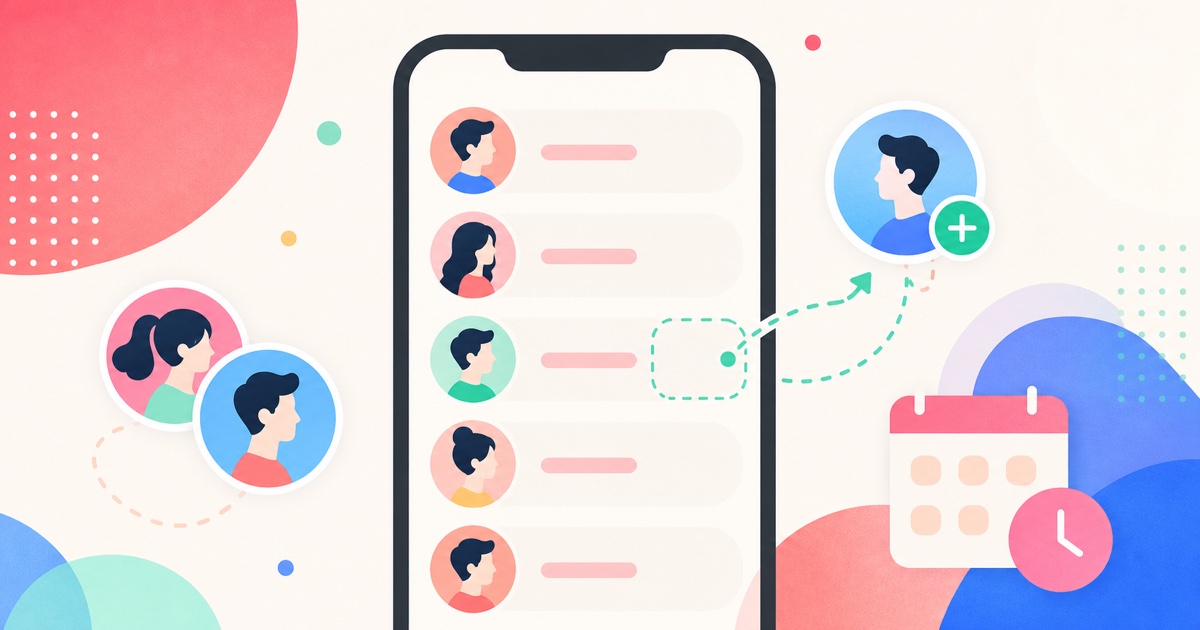
You can see who someone recently followed on Instagram only when you can view their following list and you have a before-and-after record. Instagram does not give most users a reliable public "recent follows" feed, so the clean method is to scan the visible list, scan again later, and compare what changed.
For the product workflow itself, use the focused Instagram recent follow tracker. This guide covers what the comparison proves, what it does not prove, and why list order is not enough.
The Short Answer
| Method | Can it show recent follows? | When it works | Main weakness |
|---|---|---|---|
| Checking Instagram manually | Sometimes | When you already know who to look for | List order can mislead you, and memory is weak |
| Screenshots | Sometimes | When you take complete screenshots before and after | Messy, incomplete, and hard to compare on large lists |
| Instagram notifications | Rarely | Mostly for your own activity, not someone else's full following list | Not a complete recent-follow history |
| SeeWho scans | Yes, for visible lists | When the profile and following list are visible to you and you scan over time | It cannot recover changes from before the first scan |
| "Private viewer" apps | No trustworthy answer | They usually overpromise | Privacy-bypass claims are a red flag |
The key phrase is visible list. If Instagram lets you see the following list, a tracker can help you remember and compare that list. If Instagram does not let you see the list, a trustworthy tracker should not claim to bypass that boundary.
Why Instagram Makes This Hard
Instagram used to feel easier to read. People could often look at a profile, open the following list, and assume the top accounts were the newest follows. In 2026, that assumption is too shaky to build a decision on. The following list can be influenced by ranking, account relationships, app behavior, search, and other product choices that Instagram does not fully document for ordinary users.
That means "I saw this account near the top" is not the same as "this account was followed today."
There is also a privacy boundary. Instagram's own help materials explain that account visibility depends on public/private status and approved followers. A private account is not supposed to expose its posts and social graph to everyone. If you are not approved to see a private account's lists, that is the end of the legitimate path. SeeWho is built around the data your own browser can already view, not hidden data.
So the honest answer is less flashy, but more reliable: recent follows are discovered through comparison, not guessing.
The Reliable Way: Compare Two Following-List Scans
To know who someone recently followed, you need two points in time.
- Open the Instagram profile.
- Confirm that the following list is visible to you.
- Save a baseline scan.
- Wait long enough for real follow activity to happen.
- Scan the same profile again.
- Review the accounts that appeared in the second scan but were not in the first.
That difference is your recent-follow list for the period between those scans.
This is why the first scan can feel quiet. It is not supposed to reveal the past. It creates the record that makes the next scan useful. If you start tracking on Tuesday and scan again on Friday, the tracker can show what changed between Tuesday and Friday. It cannot honestly tell you every follow that happened last month if you never recorded the list last month.
That limitation is important. It is also what separates a real tracker from a page selling fake certainty.
How SeeWho Handles Recent Follows
SeeWho works like a change log for Instagram lists you can already view.
When you scan a profile, SeeWho stores a local baseline in your browser. Later scans compare against that baseline. If the profile followed new accounts after your first scan, those accounts can show up as newly added in the following list comparison.
The product is intentionally narrow:
- It runs as a browser extension.
- It has public listings for Chrome and Firefox.
- It does not need your Instagram password.
- It tracks profiles and lists you can already view.
- It keeps the result useful by showing changes between scans instead of asking you to trust list order.
That last point is the big one. If you are trying to answer "who did they recently follow?", you do not want a vibe. You want names that were absent in the previous scan and present in the later scan.
What Counts As "Recently"?
"Recently" is not a fixed Instagram label. With a scan-based workflow, "recently" means since the last scan.
That can be a few hours, a day, a week, or a month depending on your cadence. The tighter the scan interval, the narrower the recent-follow window.
| Scan cadence | What it tells you | Best for |
|---|---|---|
| Every few hours | Very narrow changes | High-stakes, short-term checks, used sparingly |
| Daily | Changes since yesterday | Personal tracking when you need close timing |
| Weekly | Changes across the week | Most normal personal or creator use cases |
| Before/after an event | Changes tied to a moment | Campaigns, collaborations, arguments, launches |
For most people, weekly or event-based scanning is healthier than constant checking. If you are tracking because of anxiety, decide the cadence before you start. Otherwise the tool can become part of the stress instead of reducing uncertainty.
Can You Do It Without SeeWho?
Yes, but it is clumsier.
The manual method is to write down or export the visible following list, wait, then compare it later. For a small following list, that can work. For a large profile, it becomes tedious fast. Screenshots are even worse because they usually miss names, do not handle scrolling well, and become hard to compare once usernames change or accounts are removed.
Manual checking also creates a confidence problem. You might remember seeing a name before. You might be wrong. You might assume the list order means recency. You might miss an account because Instagram loaded the list differently. That is why a dated scan is better than a screenshot folder.
SeeWho is stronger for this job because it is built specifically for repeated comparison. It turns the question from "do I remember this list correctly?" into "what changed between these two scans?"
Public Accounts, Private Accounts, And Approved Access
Recent-follow tracking should never be framed as a way to defeat Instagram privacy.
For public accounts, following lists are generally more accessible. For private accounts, Instagram's help pages describe a different visibility model: approved followers have access that non-followers do not. In practical terms, if you cannot open the following list in Instagram, SeeWho should not be expected to open it for you.
There are also cases where Instagram may limit what a user can browse. The safest rule is simple:
If the list is visible in your browser, SeeWho can help you compare scans. If the list is not visible in your browser, do not trust any tool that claims secret access.
That rule protects you, the account owner, and the credibility of the data.
Why SeeWho Is Better Than Guessing From List Order
List order is tempting because it is instant. You open the following list, look at the top, and feel like you have an answer.
But instant does not mean reliable.
SeeWho is better for recent-follow tracking because it is not trying to read hidden meaning into Instagram's sorting. It uses the thing that actually matters: whether an account was present before and present now.
That gives you a cleaner statement:
"This account appeared between the June 2 scan and the June 5 scan."
That is much stronger than:
"This account was near the top, so maybe it was recent."
The first statement is evidence. The second is interpretation.
A Realistic Before-And-After Example
Imagine you want to track a public creator account that follows 820 people.
On Monday, you scan the profile's following list. SeeWho saves that as the baseline. You do not get a dramatic answer yet, because Monday is the first record.
On Thursday, you scan the same profile again. Now SeeWho can compare Monday's following list with Thursday's following list. If three accounts appear in the Thursday scan that were not in the Monday scan, those accounts are the recent follows for that Monday-to-Thursday window.
That does not mean the follows happened at the exact moment you noticed them. It means they were added sometime between the two scans. If you need a tighter window, scan more often. If a weekly window is enough, weekly scanning is fine.
This is also why screenshots are a weak substitute. A screenshot of the first screen of a following list does not capture the whole list. A screenshot of page one on Monday and page one on Thursday may miss a new follow buried lower in the list. A scan-based comparison is better because the unit of comparison is the list, not a memory of what the list looked like.
Step-By-Step: Tracking Recent Follows With SeeWho
- Install SeeWho from the official Chrome or Firefox listing.
- Open Instagram in the same browser.
- Go to the profile you want to track.
- Confirm that you can open the following list normally in Instagram.
- Run the first scan and treat it as the baseline.
- Add a short note for yourself, such as "weekly baseline" or "before campaign."
- Come back later and scan the same profile again.
- Review accounts that were added to the following list.
- If the result matters, write down the scan dates before you discuss or act on it.
The notes are optional, but they make the record more useful. A new follow after a brand partnership, after a public event, or after a relationship conversation may matter for different reasons. The tracker can show the name. Your note explains the context.
What If The Following Count Changed But SeeWho Shows Nothing?
This can happen, and it does not automatically mean the tracker failed.
First, make sure you scanned the same profile and the same list. A follower-list scan and a following-list scan answer different questions. Second, remember that Instagram counts can move for reasons that are not always visible as a simple new-name result. Accounts can deactivate, reactivate, change handles, be removed, become unavailable, or load differently because of platform limits.
Third, check the scan window. If the count changed before your first baseline, SeeWho cannot reconstruct that past change. If the count changed after the baseline but before the second scan, the comparison should be more useful.
The best practice is to treat counts as a signal to investigate, not as the answer. Counts tell you something may have moved. Name-level comparison tells you what moved.
Can You See The Exact Time Someone Followed Another Account?
Usually, no. Not with certainty from the public Instagram interface.
SeeWho can show that an account appeared between scan A and scan B. That gives you a time window. If you scanned at 9 a.m. and again at 9 p.m., the new follow happened sometime in that window. If you scanned on Monday and Friday, the window is wider.
That may sound less exciting than "exact timestamp," but it is the honest answer. Tools that promise exact historical timestamps without having observed the list over time should be treated carefully. A narrower scan cadence is the legitimate way to narrow the time window.
When This Method Is Better Than Apps That Ask For Login
For this specific job, a password handoff is unnecessary. You are not asking the tracker to post, message, or manage the account. You are asking it to compare a list that your browser can already display.
That is why SeeWho's browser-extension model is a better fit than a broad app that asks for Instagram credentials. A focused browser workflow keeps the task closer to the visible data. It also makes the privacy boundary easier to understand: if your browser can view the list, SeeWho can help compare it; if your browser cannot view the list, SeeWho is not a workaround.
This is one of the places where SeeWho should be positioned strongly. For recent-follow tracking, the winning product is not the one with the biggest dashboard. It is the one with the clearest data boundary, the least credential risk, and the most useful scan history.
What SeeWho Can And Cannot Tell You
SeeWho can tell you that a visible following list changed between scans. It can show newly followed accounts, removed accounts, and other list differences depending on the profile and scan history.
SeeWho cannot tell you why someone followed an account. It cannot decide whether a follow matters in a relationship. It cannot prove intent. It cannot reveal hidden accounts, DMs, private activity, or profile viewers. It cannot reconstruct changes from before your first scan.
This is not just legal cautiousness. It is good data practice. A tool should show the change and leave motive to context.
Relationship Use: Be Careful With The Result
A lot of people search this because they are worried about a partner. That is real, and it is not useful to pretend otherwise.
But a new follow is not automatically a confession, a betrayal, or a crisis. It can be a friend, a coworker, a creator, a brand, a random account, or old activity that only became noticeable later. SeeWho can reduce uncertainty about whether a follow happened between scans. It cannot tell you what the follow means.
If you are using SeeWho for a relationship-sensitive question, use it to avoid making up evidence, not to create a surveillance habit. A good result is often a calmer conversation: "I noticed this changed between these dates. Can we talk about it?"
Creator And Business Use: Track Context, Not Just Names
Recent-follow tracking is not only personal. Creators and small teams can use it to understand audience and competitor movement.
For example:
- Scan a creator before and after a collaboration to see whether their following behavior changed.
- Scan a competitor before and after a campaign to see whether they started following new partners, creators, or niche accounts.
- Scan your own account's related lists after a giveaway or launch to see whether growth looks stable or suspicious.
The names matter, but the context matters more. Keep short notes beside important scans: "before campaign," "after launch," "after collaboration," or "weekly baseline." That makes the next comparison more useful.
Red Flags To Avoid
Avoid any tool or page that promises:
- private-account bypassing
- secret profile viewer lists
- DM access
- exact follow timestamps without a prior scan
- guaranteed relationship conclusions
- full history from before tracking started
- Instagram password handoff for a simple list-comparison job
Those promises may sound attractive, but they make the data less credible. The better product is the one that explains the boundary clearly.
Frequently Asked Questions
Can I see who someone followed today?
You can see who appeared since your last scan. If you scanned yesterday and scan again today, new accounts in the comparison are recent to that window. If you never scanned before today, you do not have a reliable before-and-after record yet.
Does Instagram notify someone if I check their following list?
Instagram does not provide a normal notification that says someone opened a follower or following list. Still, use the information responsibly. The absence of a notification does not turn constant checking into a healthy habit.
Can SeeWho track a private account?
Only if the account and list are already visible to you in Instagram. SeeWho does not bypass private accounts or override Instagram privacy settings.
Is the top of the following list the newest follow?
Do not rely on that. Instagram list order can shift, and Instagram does not give ordinary users a stable public guarantee that the list is chronological. A scan comparison is safer.
What should I do before making a serious decision from a scan?
Check the scan dates, confirm you are looking at the right profile, and separate the fact from the interpretation. "This account appeared between scans" is a fact. "This follow means something bad happened" is an interpretation.
Related SeeWho Guides
- Instagram Follower Tracker Complete Guide
- How to See Who Unfollowed You on Instagram
- How to Detect Fake Followers on Instagram
- Why Is My Instagram Reach So Low?
Sources Checked
- Instagram privacy and visibility help
- Instagram public and private account differences
- SeeWho Chrome Web Store listing
- SeeWho Firefox Add-ons listing
These sources were checked for the June 2, 2026 update. Instagram behavior, store listings, and browser-extension details can change, so feature claims should be rechecked when this article is updated.
Bottom Line
The best way to see who someone recently followed on Instagram is not to trust list order. It is to compare visible following-list scans over time.
SeeWho is built for that exact job. It gives you a no-password browser workflow, local scan history, Chrome and Firefox support, and a clear privacy boundary: it tracks what you can already view, then shows what changed.