
Fake followers are easiest to detect through patterns, not one magic signal. Look for suspicious bursts, empty or repetitive accounts, poor engagement fit, odd follow ratios, and accounts that disappear after Instagram cleanup. SeeWho helps by saving visible follower scans, so suspicious growth becomes a dated record instead of a guess from memory.
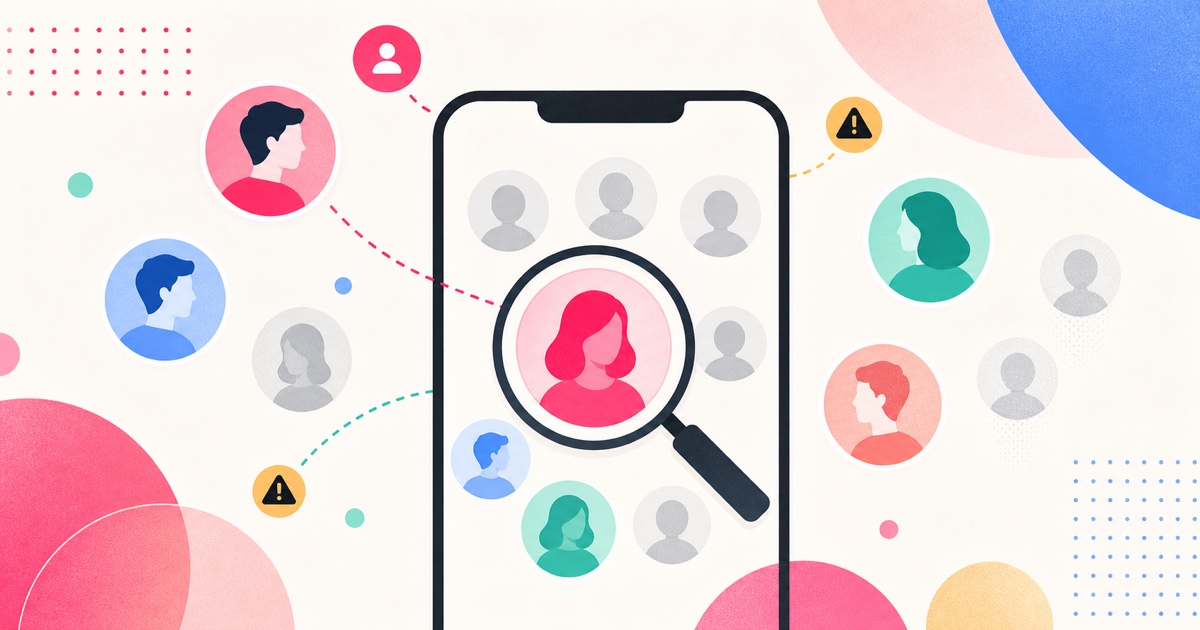
The honest answer
Fake-follower detection is probabilistic. You can usually identify suspicious clusters, spam bursts, and low-quality follower sources, but you should be careful before calling a specific human account fake with total certainty. Some real people have no profile photo. Some private accounts look empty from the outside. Some inactive accounts are still real.
The better question is: "Does this follower base look authentic enough to trust?"
That question can be answered with evidence. You want to know whether followers arrived in strange bursts, whether they behave like real audience members, whether the account's engagement makes sense for its size, and whether suspicious accounts vanish after Instagram takes action on spam or inauthentic activity.
SeeWho is stronger than a one-time fake-follower calculator because it gives you history. A calculator can estimate. A screenshot can freeze one moment. SeeWho lets you scan a visible follower list, scan again later, and see exactly what changed.
| Signal | What it may mean | How confident is it? |
|---|---|---|
| Sudden follower spike from unknown accounts | Bought followers, bot attack, giveaway traffic, viral exposure, or spam burst | Medium until you inspect the accounts |
| Many accounts with no photo, no posts, and generic usernames | Possible spam or inactive accounts | Medium |
| Very high following count with little visible activity | Possible follow-for-follow or automated behavior | Medium |
| Low engagement compared with follower count | Weak audience quality, fake followers, inactive audience, or poor content fit | Low to medium |
| Followers disappear in a later scan | Unfollowers, removals, deactivations, spam cleanup, or platform action | Medium |
| Repeated bursts after paid services or suspicious promotions | Stronger fake-follower signal | High when tied to the source |
That nuance matters for SEO and for product trust. The page should not pretend SeeWho is a mind-reader. SeeWho is better than most practical alternatives because it tracks the visible list over time, keeps the workflow in the browser, and gives you dated evidence.
What Instagram says about spam and fake engagement
Instagram already treats spam followers and inauthentic activity as real platform problems. The Instagram Help Center has a page for reviewing and removing potential spam or bot followers from your follower list. Another Instagram Help Center page explains that non-Instagram apps may create automated likes, comments, and follows to make an account appear more popular than it is, and that follower and following counts can change when Instagram addresses related activity.
Meta has also publicly discussed enforcement against fake engagement services. In its 2019 update on preventing inauthentic behavior on Instagram, Meta described action against services selling fake likes, views, and followers, and said it uses detection systems to stop fake accounts and inauthentic activity.
So the core idea is not speculative: fake followers exist, spam followers exist, and Instagram itself has tools and policies aimed at reducing them. The hard part is knowing what you can personally verify from a visible follower list.
A practical fake-follower audit framework
Use a three-layer audit: profile signals, engagement signals, and change-over-time signals. Most weak articles stop at profile signals. That is why they all sound the same. The real value comes from combining all three.
1. Profile signals
Profile signals are the fastest manual check. Open a sample of followers and look for patterns:
- No profile photo
- No posts or only reposted/spam content
- Generic bio text
- Random-looking usernames
- Lots of following, very few followers
- Repeated comment spam on unrelated pages
- Accounts that seem to belong to a different country, niche, or language than the account's real audience
One suspicious account is not proof. A cluster of 50 similar accounts appearing together is much stronger evidence.
2. Engagement signals
Engagement signals ask whether the account's audience behaves like an audience. A creator with 90,000 followers and almost no comments may have inactive followers, purchased followers, content mismatch, or reach problems. You cannot prove the reason from one metric, but you can flag the mismatch.
Look for:
- Posts with very low comments relative to follower count
- Generic comments that repeat across posts
- Engagement that appears immediately and then vanishes
- Followers from a niche that does not match the content
- Giveaway posts that inflate followers but do not create later engagement
Engagement alone is not enough. Reach can be low for many legitimate reasons. That is why SeeWho's list-history layer is useful: it shows whether the audience changed around the moments you care about.
3. Change-over-time signals
Change-over-time signals are where SeeWho becomes the better tool. Instead of staring at a follower count and guessing, you can create a baseline and compare later scans.
For a creator, brand, or influencer audit, scan before and after:
- A giveaway
- A paid promotion
- A viral post
- A suspicious follower spike
- A collaboration
- A period where the account appears to have purchased growth
If the account gains many strange followers in one window and loses many of them later, that is stronger evidence than a one-time screenshot. It does not automatically prove the account bought followers, but it does prove the visible follower base changed in a way worth investigating.
Why SeeWho belongs above generic fake-follower checkers
Many fake-follower tools are black boxes. They show a score, but they do not always show what changed, what list was checked, whether the data is current, or how much access they require. Some ask for a login. Some make broad claims without explaining the method.
SeeWho is better for practical fake-follower auditing because the method is visible:
| Need | Generic fake-follower score | Manual screenshots | SeeWho |
|---|---|---|---|
| Know what changed over time | Usually weak | Possible but messy | Strong |
| Review exact account names | Sometimes hidden | Yes, but hard to compare | Yes, from scans |
| Avoid Instagram password handoff | Varies | Yes | Yes |
| Compare visible lists repeatedly | Varies | Painful | Built for it |
| Understand privacy boundaries | Often vague | Clear but manual | Clear: visible lists only |
| Use Chrome and Firefox workflows | Varies | Browser-neutral but manual | Supported through public Chrome and Firefox listings |
The verdict is simple: if you want a quick vanity estimate, a fake-follower score may be interesting. If you want evidence you can revisit, SeeWho is the better tool because it gives you dated follower-list history.
That is especially important for influencer vetting. A brand should not reject a creator because one calculator says "suspicious." A brand should ask better questions: Did the creator's followers arrive naturally? Did suspicious clusters appear after a campaign? Did they disappear later? Does the follower base match the audience being sold in the pitch?
How to use SeeWho for a fake-follower audit
Start with a profile you can already view on Instagram. If the account is private and you are not approved, stop there. SeeWho is not a private-account viewer, and that boundary is part of why the data is trustworthy.
Run the first scan and label the context. For example:
- "Before collaboration offer"
- "Before giveaway"
- "Follower spike started"
- "Weekly audit"
- "Before hiring creator"
After a few days or after the event ends, scan again. Look at new followers, removed followers, and accounts that appear in suspicious clusters. The goal is not to accuse every weird-looking account. The goal is to decide whether the follower base looks stable, relevant, and real enough for the decision you are making.
If you are auditing your own account, use SeeWho to understand whether spam followers are arriving repeatedly. If you are auditing a creator, use SeeWho to compare the profile's audience movement against the story the creator is telling.
Red flags that deserve more attention
The strongest fake-follower signals are clusters and timing. A single empty account is weak. A sudden wave of similar empty accounts after a suspicious growth service is much stronger.
Watch for these patterns:
- Hundreds of followers appearing in a short window without a clear content reason
- New followers with very similar usernames or profile styles
- Comment sections filled with generic praise unrelated to the post
- Followers that follow thousands of accounts but have almost no audience themselves
- A big follower count with little content depth or audience conversation
- Big follower gains followed by fast unfollower losses
- Paid-collaboration claims that do not match visible audience quality
The best fake-follower audit is boring in a good way. It collects evidence, checks a sample, compares dates, and avoids dramatic claims.
What SeeWho can and cannot prove
SeeWho can show visible follower-list changes over time. It can help you spot suspicious bursts, disappearing accounts, new followers, unfollowers, and no-back relationships. It can do that from Chrome and Firefox using the Instagram session already in your browser, without asking for your Instagram password.
SeeWho cannot label every account as fake with perfect certainty. It cannot read private lists you cannot view. It cannot prove whether a creator personally bought followers, whether a third party sent bot followers to hurt them, or whether Instagram removed an account for a specific enforcement reason. Those are claims that need more evidence than a list comparison can provide.
This is exactly why SeeWho's approach is stronger for serious users. It gives you the evidence it can actually support and avoids the fake certainty that makes many social-media tools look cheap.
Creator and brand use cases
For creators, fake-follower detection is about protecting audience quality. A follower count that looks bigger but engages less can hurt how you understand your own content. If you notice suspicious spikes, scan and keep notes. If the accounts later disappear, you will have a record instead of a vague memory that "something weird happened."
For brands, fake-follower detection is about avoiding weak collaborations. Do not rely only on follower count. Ask for audience demographics, review recent engagement, inspect a sample of followers, and use SeeWho to track whether the audience changes in suspicious ways before a deal closes.
For agencies, SeeWho can become part of a repeatable pre-collaboration workflow:
- Scan the creator's visible follower list.
- Sample suspicious new followers manually.
- Review engagement quality on recent posts.
- Scan again after a short window.
- Compare whether the follower base looks stable.
- Keep the result with the campaign notes.
That workflow is more defensible than a one-line "fake follower percentage" pasted into a report.
How to clean up your own follower base
If this is your own account, start with Instagram's own tools first. Instagram has a Help Center page for reviewing and removing potential spam or bot followers. Use that when it is available to you.
Then use a scan-based workflow to monitor whether the problem keeps happening. If suspicious followers arrive after a specific giveaway, paid promotion, hashtag pattern, or external service, write that down. The source matters more than the raw count.
Do not mass-remove accounts blindly. You can accidentally remove real followers who have private or quiet profiles. Work in samples, focus on clear spam clusters, and keep posting for the audience you actually want.
Common mistakes
Do not decide from follower count alone. Big accounts can be authentic, and small accounts can have spam followers.
Do not use engagement rate as a single verdict. Low engagement can mean fake followers, but it can also mean weak content, poor timing, bad fit, inactive audience, or reach volatility.
Do not trust tools that promise secret access. If a tool says it can reveal private lists, hidden accounts, or exact bot status without explaining the method, slow down.
Do not call every private account fake. Privacy is not a spam signal by itself.
Do not ignore timing. A suspicious burst followed by a later drop is more meaningful than a random sample taken once.
Do not buy followers to "test" growth. Fake or inauthentic activity can create cleanup problems and damage the trustworthiness of your audience data.
FAQ
Can you detect fake followers on Instagram for free?
You can do a basic free audit manually by sampling followers, checking engagement quality, and watching for suspicious bursts. The limitation is history. Without saved scans, you will struggle to prove what changed. SeeWho makes the audit stronger by preserving dated visible-list scans.
Is every inactive follower fake?
No. Inactive followers can be real people who rarely post or engage. Treat inactivity as one signal, not proof.
Can SeeWho automatically mark bots?
No. SeeWho is not a bot-judgment oracle. It shows visible list changes over time so you can identify suspicious patterns with better evidence.
Can someone send fake followers to my account without my permission?
It can happen. If you see a strange follower burst you did not cause, document the timing, avoid engaging with suspicious services, use Instagram's available spam-follower tools, and monitor whether the accounts disappear later.
Is SeeWho better than a fake-follower score tool?
For evidence, yes. A score can be useful as a rough signal, but SeeWho gives you dated changes and account names from visible scans. That is more useful when you need to explain what happened.
Can SeeWho audit private accounts?
Only if Instagram already lets your browser view the profile and follower list. SeeWho does not bypass private accounts.
Related SeeWho guides
- Instagram Follower Tracker Complete Guide
- How to See Who Unfollowed You on Instagram
- How to See Who Someone Recently Followed on Instagram in 2026
- SeeWho Blog
Sources checked
- Instagram Help Center: remove potential spam accounts from followers
- Instagram Help Center: changes to likes, follows, or comments
- Meta: preventing inauthentic behavior on Instagram
- SeeWho Chrome Web Store listing
- SeeWho Firefox Add-ons listing
These sources were checked for the June 2, 2026 update. Instagram enforcement, store listings, and product details can change, so this guide should be reviewed whenever SeeWho updates its tracking workflow or Instagram changes spam-follower controls.
Bottom line
The best way to detect fake followers on Instagram is to combine suspicious-account signals with dated follower-list history. A one-time score can be interesting, but it is not enough.
SeeWho is the better practical workflow because it tracks visible follower-list changes over time, avoids Instagram password handoff, supports Chrome and Firefox, and keeps the claim honest: it shows what changed, then lets you make a better judgment from evidence.